What do I need?
What is the server about?
A Windrose server for organized cooperative play
The Varga-Tech Windrose EU Server is intended as a public multiplayer server for Europe, but not as an anonymous pass-through place. The goal is a stable community where new players are guided clearly, experienced players can help, and important information does not get lost.
That is why we provide live status, player profiles, Discord, webchat, map and mod information, plus clear connection help. Anyone joining should know: which mods do I need, which server is active, where do I get help, and how do I connect without guessing?
Our guiding idea
Friendly communityNew players should not be laughed at; they should receive clear help.
Clean accessVerification, password and clear rules protect the server from chaos, spam and wrong expectations.
Exakte Official modsLauncher/Chat, Web Mod-Sync oder manuelle Guide sorgen dafür, dass Client und MAIN Server zusammenpassen.
OrientationLive Map, status, FAQ and support help with onboarding and finding important information again.
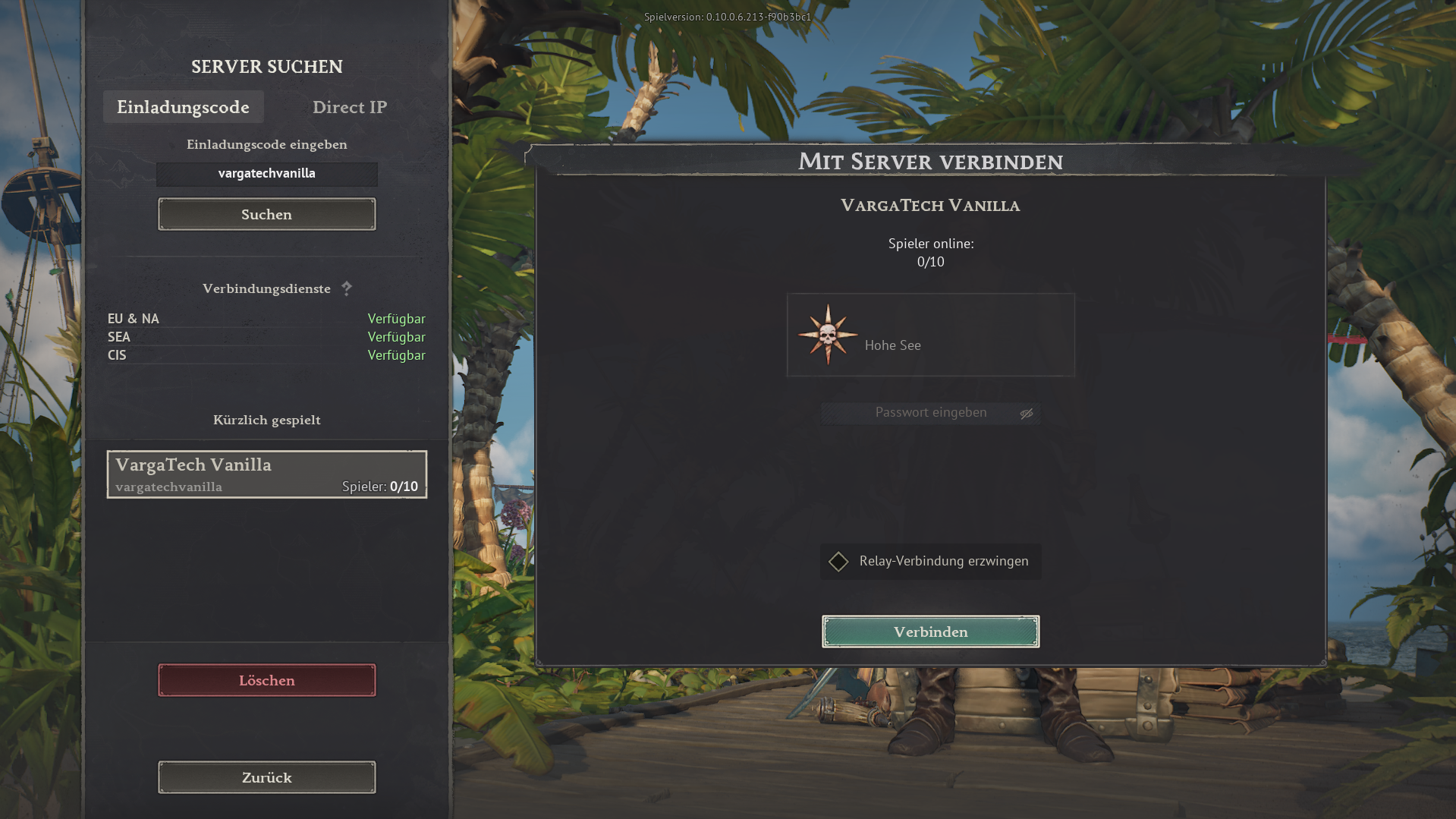
Separate vanilla serverNo mods, ohne Launcher, ohne Web-Sync: Im Spiel einfach per Invite code
vargatechvanilla beitreten. Separate server option
Vanilla server without mods
If you do not want to use mods, Launcher/Chat or Web Mod-Sync, there is also a separate Varga-Tech vanilla server. This server is independent from the MAIN mod server and does not require Varga-Tech server mods.
No mods
No Launcher/Chat
No Web Mod-Sync
Follow Varga-Tech community rules
Invite code
vargatechvanilla
Illustrated instructions öffnen
Use directly in-game for the vanilla server.
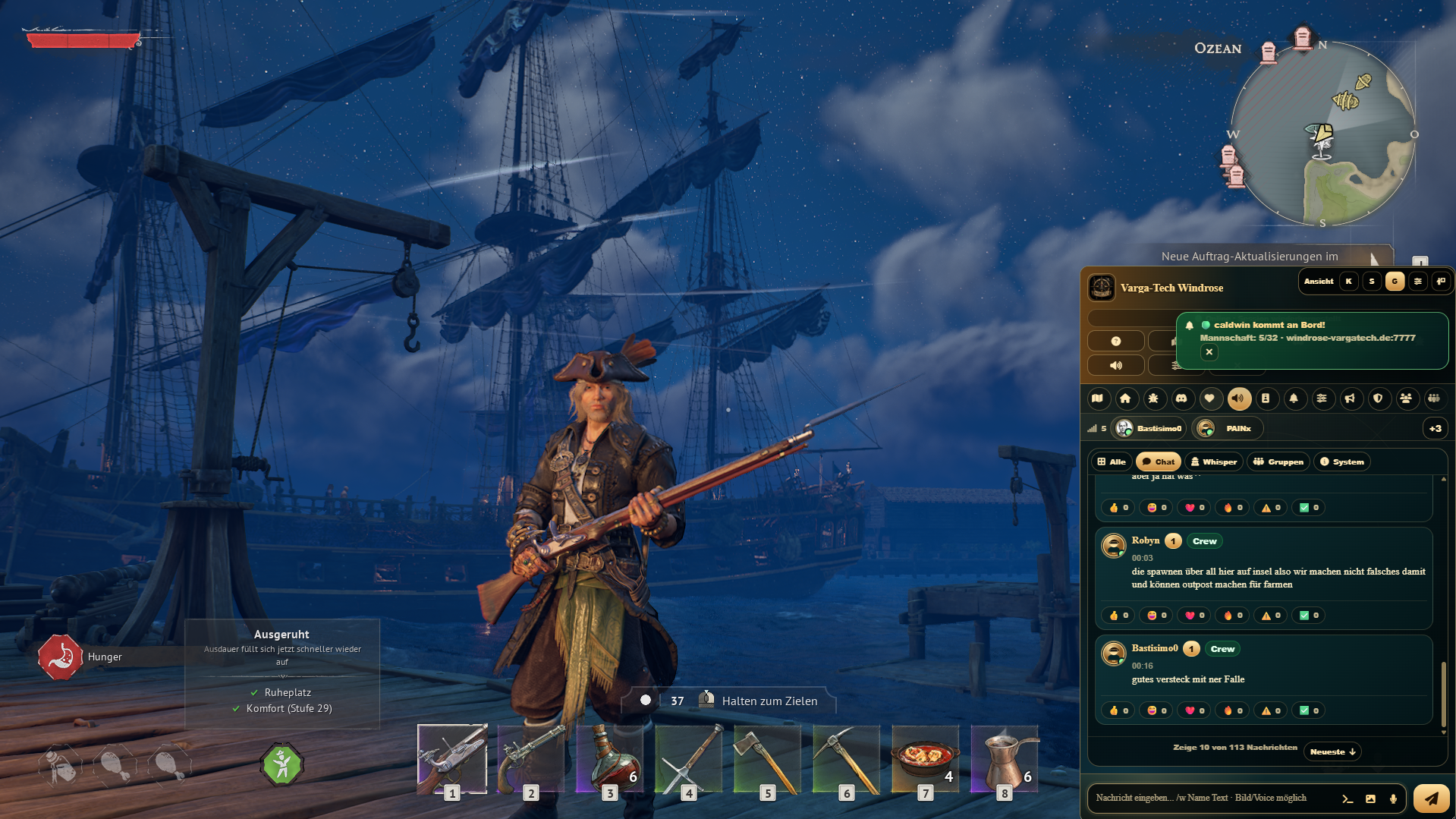
Ingame gallery
Impressions from the Varga-Tech Windrose server
Screenshots and moments from the Varga-Tech Windrose community: sailing, exploration, trading, battles, base building and shared adventures on the EU public multiplayer server.
Secure access
The password is available after email confirmation. This protects the server from griefing and chaos.
Community instead of guesswork
Discord, webchat, player profiles and support help new players get started.
Launcher, Web-Sync or manual mods
Varga-Tech Launcher/Chat checks required mods automatically. Without the launcher, you can use the one-time Web Mod-Sync or follow the manual guide completely.
Interactive connection assistant
When you are ready: connect safely
Der Assistent ist nicht der erste Eindruck, sondern der praktische nächste Schritt. Er führt dich durch Verification, Password, Varga-Tech Launcher/Chat, einmaligen Web Mod-Sync oder manuelle Mod-Guide und Direct Connect.
Verification process
Get the password via verification
1
Open the verification page.
2
Enter email, Discord name and player name.
3
Click the magic link in your email.
4
Show the server password and save it safely.
Mods & Server-Kompatibilität
Three safe paths: Launcher/Chat, Web Mod-Sync or manual mods
Important: For the MAIN server, the Varga-Tech server mods must match exactly. Varga-Tech Launcher/Chat is recommended. If you do not want to use it, you can use the one-time Web Mod-Sync in the browser or follow the manual mod guide — but only if truly only the Varga-Tech server mods are active.
Varga-Tech Launcher/Chat checks the MAIN server and synchronizes required mods automatically. Web Mod-Sync is the transparent alternative without Launcher/Chat: you choose the local ~mods folder yourself, the site loads the Varga-Tech manifest, checks SHA256 values and writes only after your explicit permission. Alternatively, you can install the mods fully manually; old, foreign, additional or incorrect local mods must be removed completely.
Path A: Launcher/Chat recommendedOpen the launcher, choose the MAIN server, wait for sync. Required mods are checked automatically.
Option B: Web Mod-Sync without launcherOpen browser sync, deliberately grant access to the ~mods folder, load the manifest, check SHA256 and write missing/wrong files once.
Option C: manual without launcherOpen the manual guide, download only Varga-Tech server mods, extract them correctly and remove all old/foreign/additional local mods.
Antivirus note: Some antivirus tools or Windows SmartScreen may falsely flag new community launchers as unknown, phishing or a virus. The EXE should be signed with a code-signing certificate; download it only from the Varga-Tech Windrose domain and check the SHA256 value on the launcher page.
Direct Connect
Now connect in-game
In Windrose, open “Connect to Server” and enter address, port and your password. You can find an illustrated guide on the connection page.
If something does not work
Quick troubleshooting
No email arrived?
Check spam, verify the address and restart the verification process.
Wrong password?
Copy the password again from the verification page. Do not include spaces at the beginning or end.
Connection fails?
Check mods first: wait for launcher sync or follow the manual mod guide completely. Then check domain, port and password.
Top players
Top 3 Windrose players
Ranking by recorded online time on the Windrose Varga-Tech EU Server.
Live Status
Server online & player status
Loading server status…
Online now0 / 32
All-time high1
StatusOnline
Last updateLive
Loading players…
Ready to join?
Use the assistant or jump directly to the detailed connection page with image guide.
More about the Windrose server
Internal links help visitors and search engines quickly find verification, connection, player profiles, live map and guides.