Enter invite code
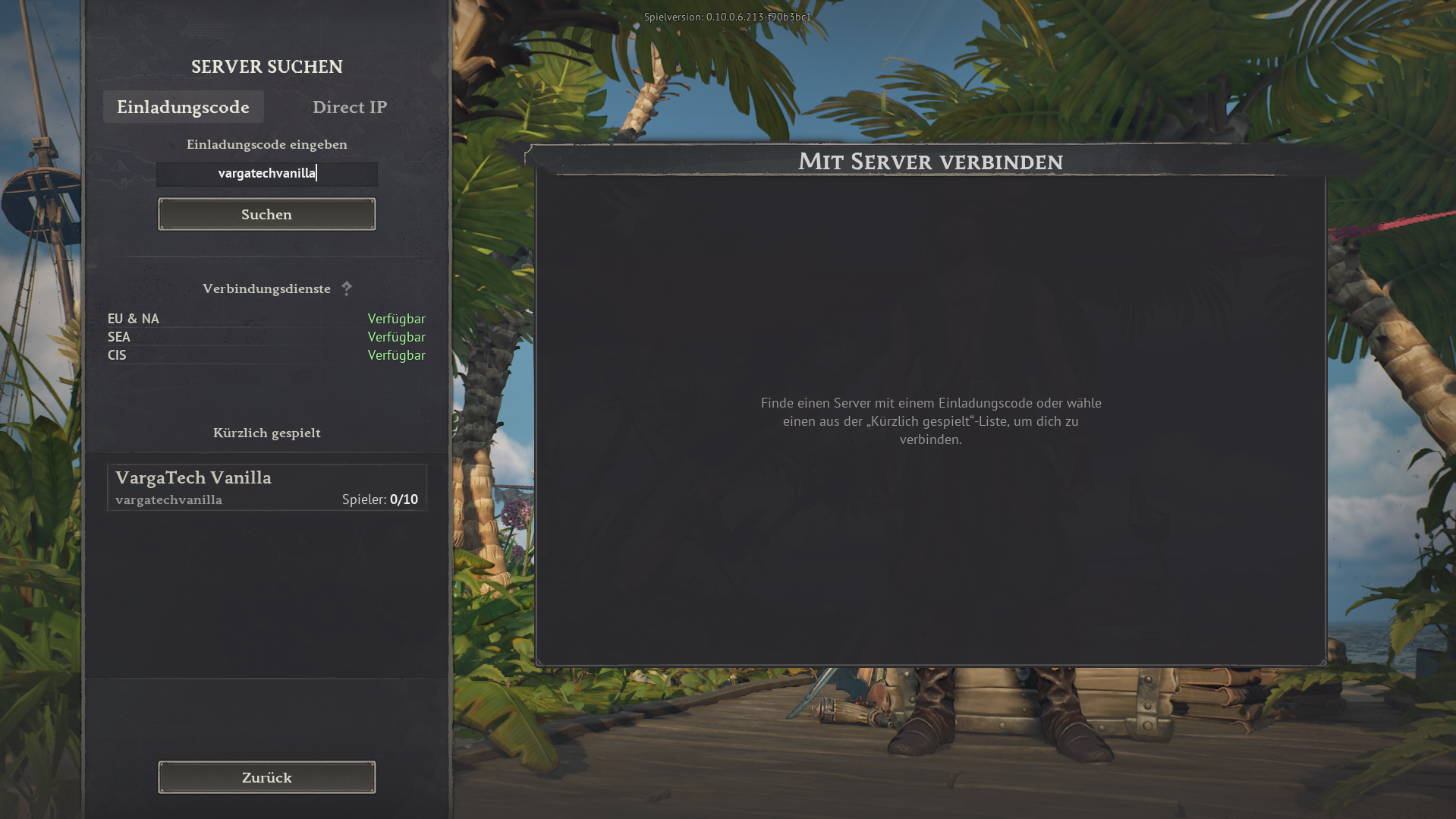
Open the in-game server search, choose Invite code, enter vargatechvanilla and click Search.
If you simply want to play without mods, you can join the separate Varga-Tech Vanilla Server directly in the game. You do not need Launcher/Chat, Web Mod-Sync or Varga-Tech server mods.
Important: this vanilla server is a separate Varga-Tech community option, not the MAIN mod server. Mod, sync and verify steps only apply to the MAIN mod server.
vargatechvanilla
In game: Server search → use invite code.
The vanilla server is for players who want to start without extra software and without mod synchronisation. Join directly in-game with the invite code.
vargatechvanilla.Para el servidor Vanilla no debe haber mods de Windrose activos en la carpeta local. Mods antiguos del MAIN pueden causar errores, crasheos o problemas de conexión.
R5\Content\Paks\~modsR5\Content\Paks\~mods. Nunca selecciones R5\Content\Paks, porque puede contener archivos originales de Windrose que no deben borrarse.Privacidad: los nombres se muestran solo localmente y no se envían.
Funciona solo en tu navegador. Tú eliges la carpeta; sin permiso, la web no ve archivos locales.
~mods.Este panel lee el archivo de estado generado localmente para el servidor Varga-Tech Vanilla. Respeta la privacidad y no publica direcciones IP.
Los nombres no se muestran públicamente o no hay nadie detectado.
Nota: el estado se basa en el monitor local de Varga-Tech y logs de Docker. Tras reinicios puede tardar unos segundos.
Solo se publican conteos, récord y opcionalmente nombres de logs. No se publican IPs.
Además de esta guía, puedes abrir el servidor vanilla en la Servidor Windroselist externa. Según disponibilidad, puede mostrar estado online, jugadores, votos u otros detalles.
Serverlist link: windrose-serverlist.net/servers/vargatech-vanillaNota: la lista es un servicio comunitario externo. Para instrucciones vinculantes, privacidad, soporte y guías, esta web de Varga-Tech sigue siendo la fuente principal.
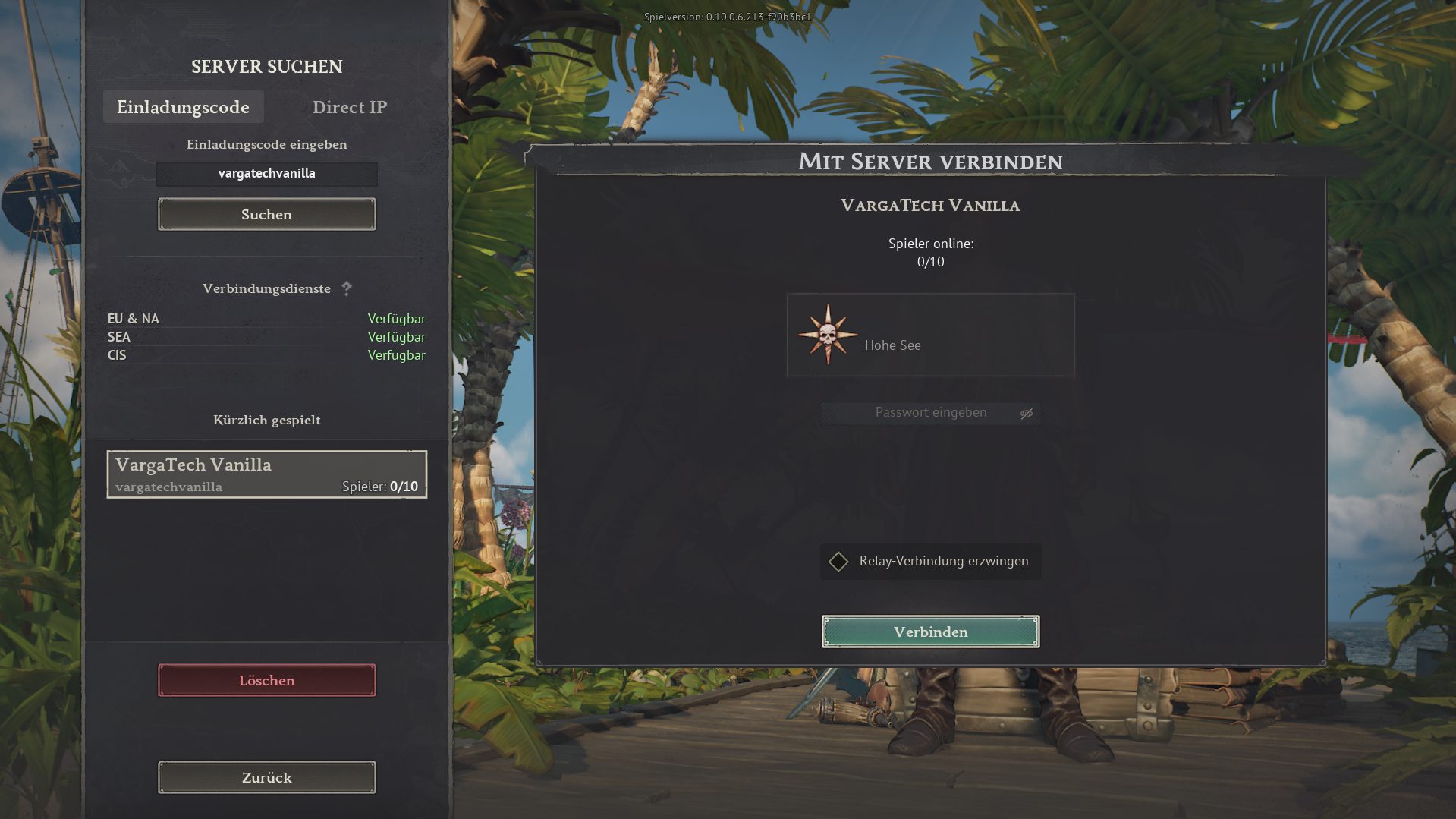
The images below show the in-game flow. The invite code is always vargatechvanilla.
Open the in-game server search, choose Invite code, enter vargatechvanilla and click Search.
Select VargaTech Vanilla. The connection view appears. Click Connect.
Players can post a short public question, look for group members or offer help. Posts should stay friendly, short and game-related.
The vanilla server does not require Varga-Tech mod synchronisation. Additional rules, passwords or later changes are announced on Discord or in the current server information.
The MAIN mod server is the modified Varga-Tech server option. Varga-Tech server mods must match exactly. Launcher/Chat, Web Mod-Sync and manual guide are available for that.
Open connection assistant