Enter invite code
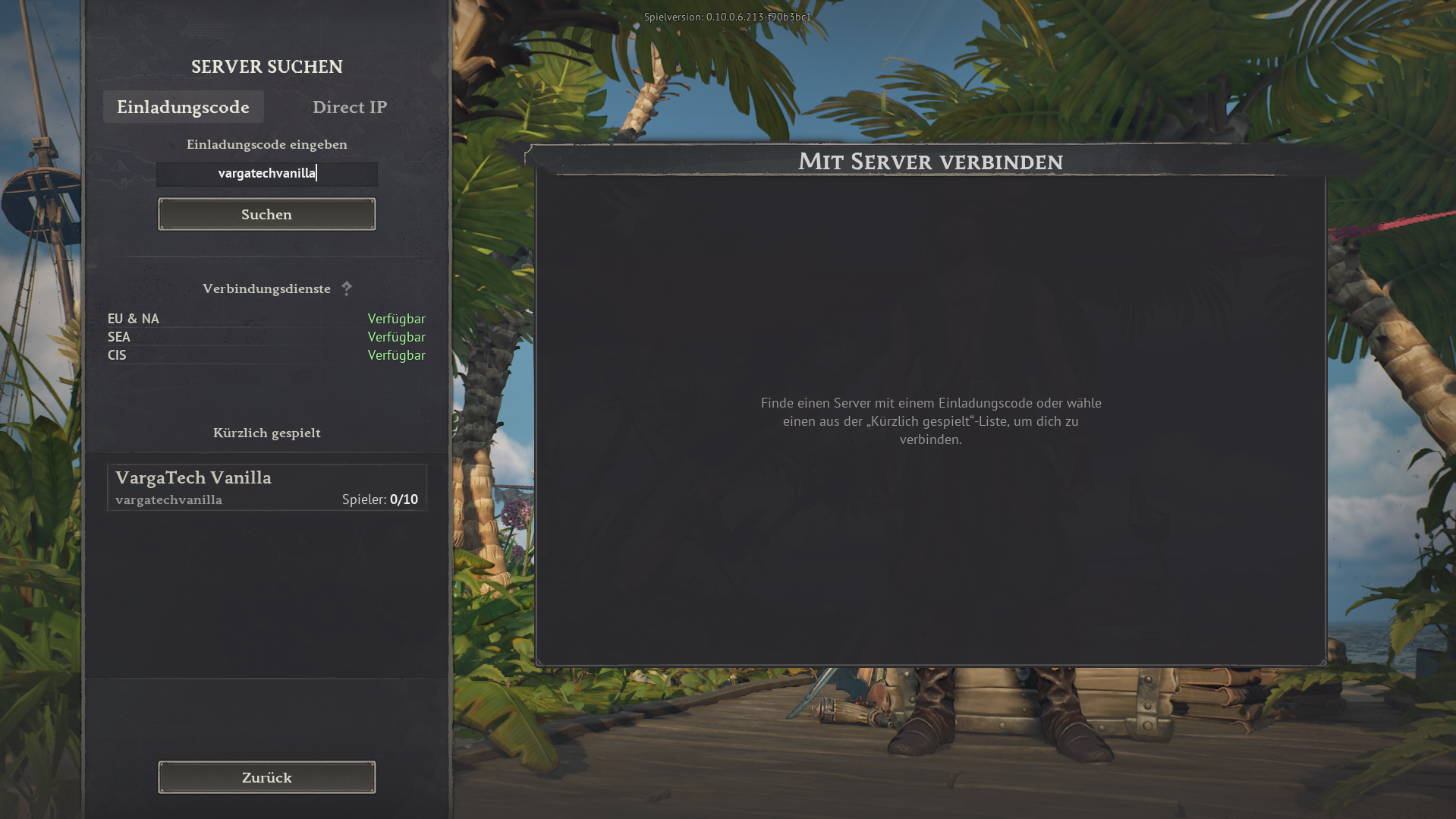
Open the in-game server search, choose Invite code, enter vargatechvanilla and click Search.
If you simply want to play without mods, you can join the separate Varga-Tech Vanilla Server directly in the game. You do not need Launcher/Chat, Web Mod-Sync or Varga-Tech server mods.
Important: this vanilla server is a separate Varga-Tech community option, not the MAIN mod server. Mod, sync and verify steps only apply to the MAIN mod server.
vargatechvanilla
In game: Server search → use invite code.
The vanilla server is for players who want to start without extra software and without mod synchronisation. Join directly in-game with the invite code.
vargatechvanilla.Voor de Vanilla-server mogen geen Windrose-modbestanden actief zijn in de lokale modmap. Oude MAIN-mods kunnen fouten, crashes of verbindingsproblemen veroorzaken.
R5\Content\Paks\~modsR5\Content\Paks\~mods. Kies nooit R5\Content\Paks zelf, want daar kunnen originele Windrose-bestanden staan die niet verwijderd mogen worden.Privacy: bestandsnamen blijven lokaal en worden niet verzonden.
De tool draait alleen in je browser. Jij kiest de map; zonder toestemming ziet de site geen lokale bestanden.
~mods.Dit paneel leest het lokaal aangemaakte statusbestand voor de Varga-Tech Vanilla-server. Privacyvriendelijk: IP-adressen worden niet gepubliceerd.
Spelersnamen worden niet openbaar getoond of er is momenteel niemand gedetecteerd.
Let op: de live-status gebruikt de lokale Varga-Tech monitor en Docker-logs. Na herstart kan dit enkele seconden duren.
Alleen aantallen, record en optioneel namen uit logs zijn openbaar. IP-adressen worden niet gepubliceerd.
Naast deze gids kun je de vanilla-server openen op de externe Windrose Serverlist. Afhankelijk van beschikbaarheid kan die online status, spelersaantal, stemmen of extra details tonen.
Serverlist link: windrose-serverlist.net/servers/vargatech-vanillaLet op: de serverlijst is een externe communitydienst. Voor bindende informatie, privacy, support en gidsen blijft deze Varga-Tech website de primaire bron.
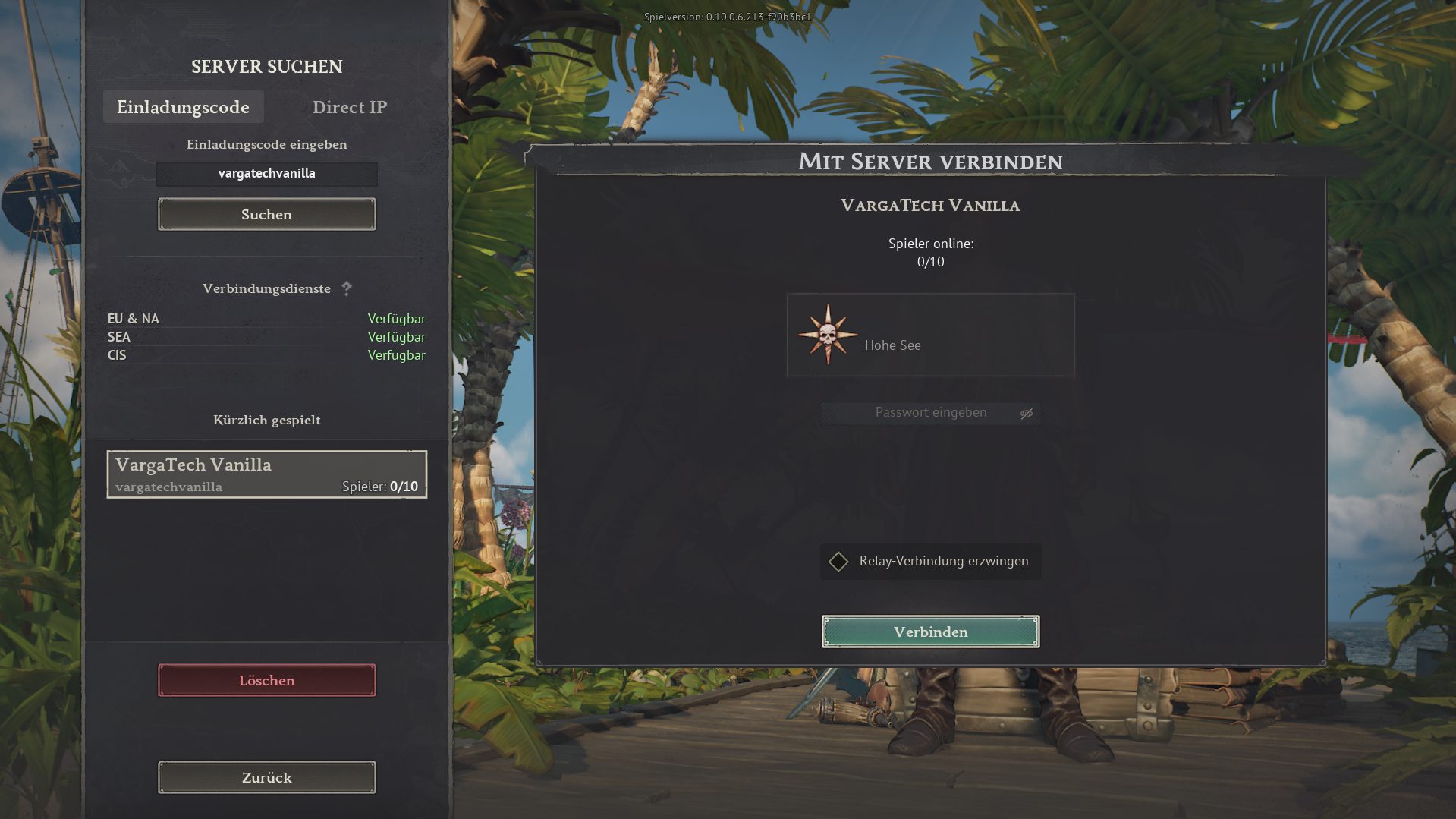
The images below show the in-game flow. The invite code is always vargatechvanilla.
Open the in-game server search, choose Invite code, enter vargatechvanilla and click Search.
Select VargaTech Vanilla. The connection view appears. Click Connect.
Players can post a short public question, look for group members or offer help. Posts should stay friendly, short and game-related.
The vanilla server does not require Varga-Tech mod synchronisation. Additional rules, passwords or later changes are announced on Discord or in the current server information.
The MAIN mod server is the modified Varga-Tech server option. Varga-Tech server mods must match exactly. Launcher/Chat, Web Mod-Sync and manual guide are available for that.
Open connection assistant