Enter invite code
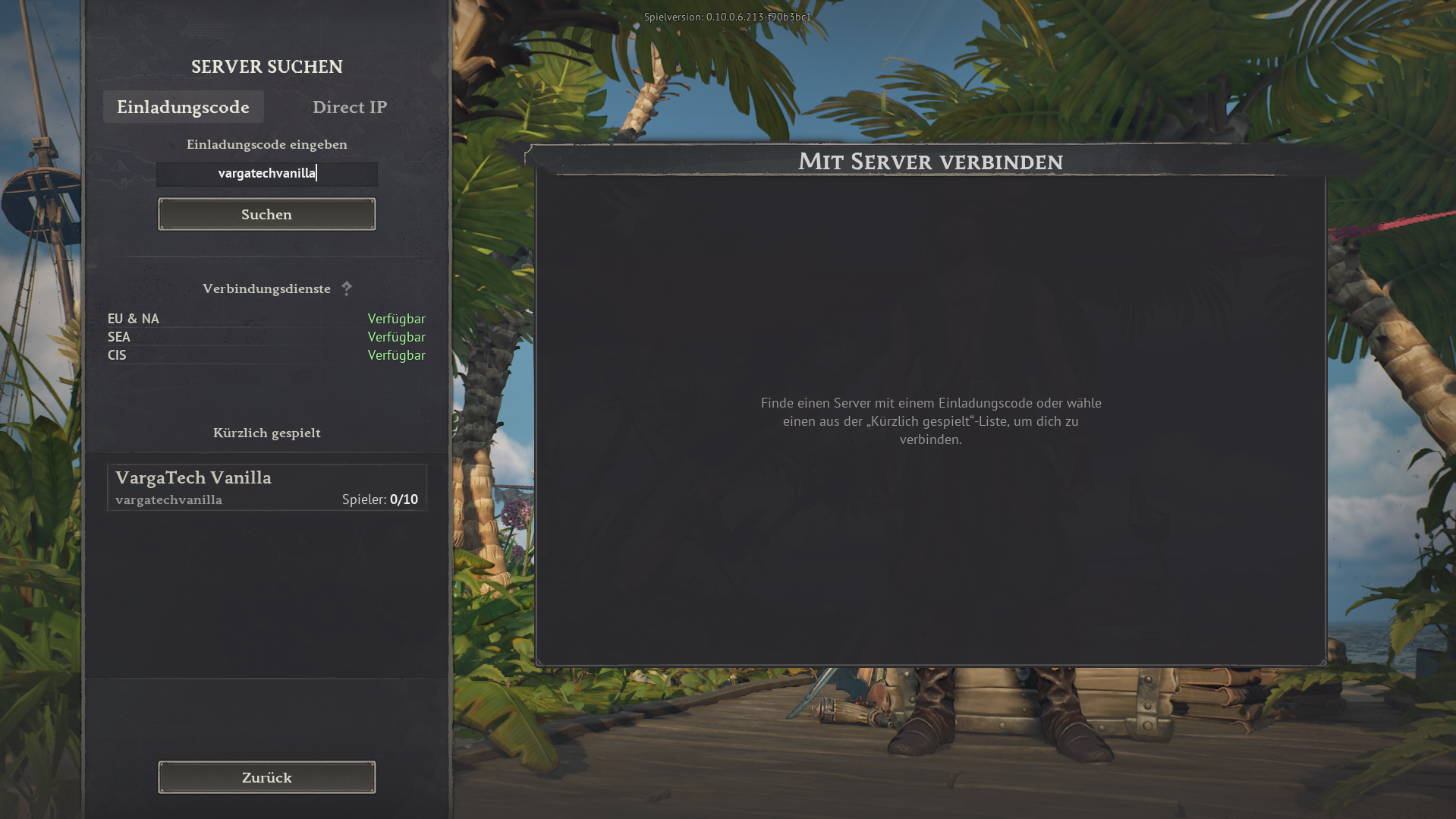
Open the in-game server search, choose Invite code, enter vargatechvanilla and click Search.
If you simply want to play without mods, you can join the separate Varga-Tech Vanilla Server directly in the game. You do not need Launcher/Chat, Web Mod-Sync or Varga-Tech server mods.
Important: this vanilla server is a separate Varga-Tech community option, not the MAIN mod server. Mod, sync and verify steps only apply to the MAIN mod server.
vargatechvanilla
In game: Server search → use invite code.
The vanilla server is for players who want to start without extra software and without mod synchronisation. Join directly in-game with the invite code.
vargatechvanilla.Per il server Vanilla non dedio essere attivi file mod Windrose nella cartella locale. Vecchi mod MAIN possono causare contenuti errati, crash o problemi di connessione.
R5\Content\Paks\~modsR5\Content\Paks\~mods. Non selezionare mai R5\Content\Paks, perché può contenere file originali Windrose da non eliminare.Privacy: i nomi file restano locali e non vengono inviati.
Funziona solo nel browser. Scegli tu la cartella; senza consenso il sito non vede file locali.
~mods.Questo pannello legge il file di stato generato localmente per il server Varga-Tech Vanilla. È rispettoso della privacy e non pubblica indirizzi IP.
I nomi non sono mostrati pubblicamente oppure nessuno è rilevato.
Nota: lo stato live usa il monitor locale Varga-Tech e i log Docker. Dopo riavvii può servire qualche secondo.
Sono pubblici solo conteggi, record e opzionalmente nomi dai log. Gli IP non vengono pubblicati.
Oltre a questa guida puoi aprire il server vanilla sulla Server Windroselist esterna. In base alla disponibilità può mostrare stato online, numero giocatori, voti o altri dettagli.
Serverlist link: windrose-serverlist.net/servers/vargatech-vanillaNota: la lista server è un servizio community esterno. Per informazioni vincolanti, privacy, supporto e guide, questo sito Varga-Tech resta la fonte principale.
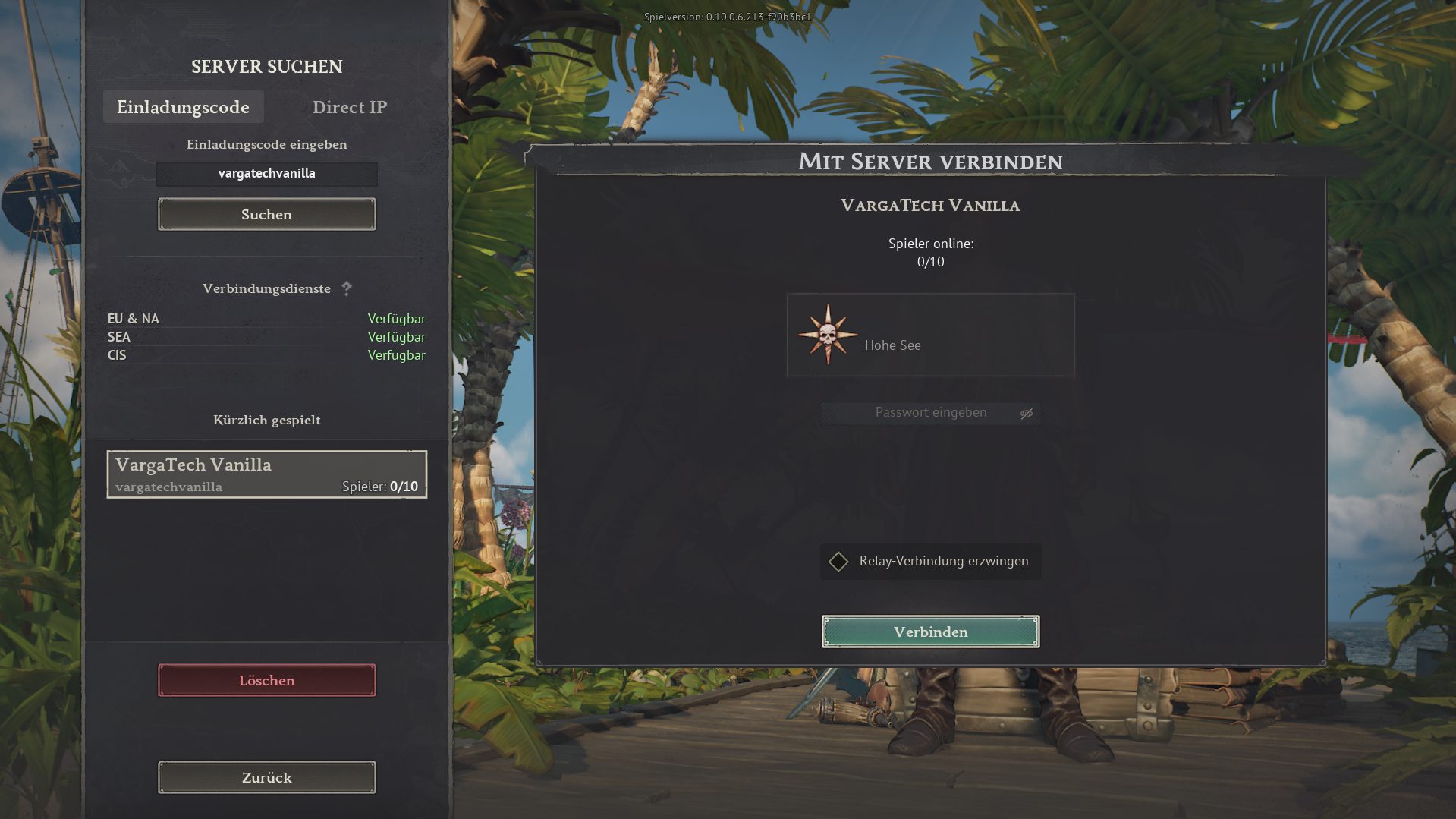
The images below show the in-game flow. The invite code is always vargatechvanilla.
Open the in-game server search, choose Invite code, enter vargatechvanilla and click Search.
Select VargaTech Vanilla. The connection view appears. Click Connect.
Players can post a short public question, look for group members or offer help. Posts should stay friendly, short and game-related.
The vanilla server does not require Varga-Tech mod synchronisation. Additional rules, passwords or later changes are announced on Discord or in the current server information.
The MAIN mod server is the modified Varga-Tech server option. Varga-Tech server mods must match exactly. Launcher/Chat, Web Mod-Sync and manual guide are available for that.
Open connection assistant