Enter invite code
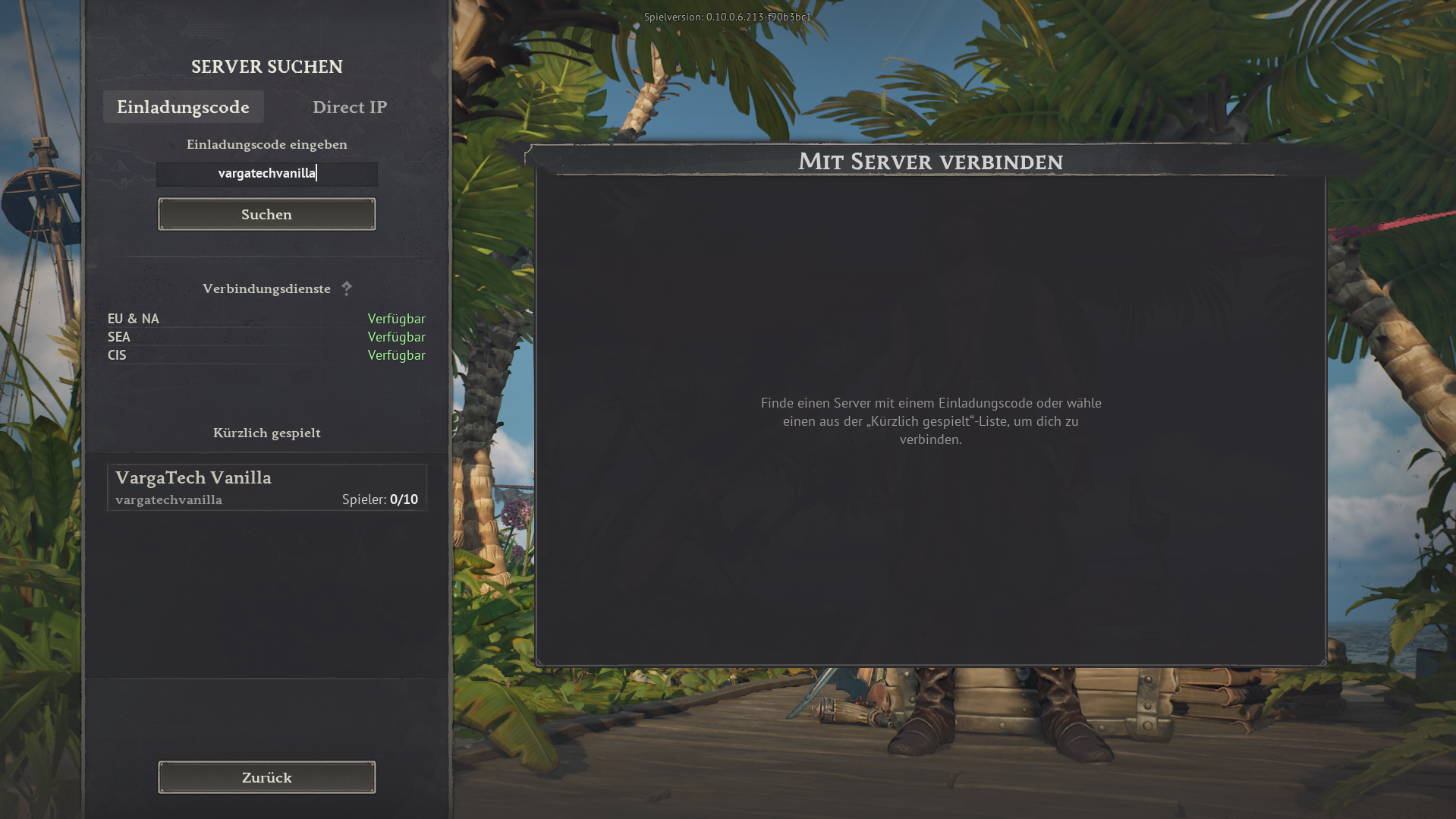
Open the in-game server search, choose Invite code, enter vargatechvanilla and click Search.
If you simply want to play without mods, you can join the separate Varga-Tech Vanilla Server directly in the game. You do not need Launcher/Chat, Web Mod-Sync or Varga-Tech server mods.
Important: this vanilla server is a separate Varga-Tech community option, not the MAIN mod server. Mod, sync and verify steps only apply to the MAIN mod server.
vargatechvanilla
In game: Server search → use invite code.
The vanilla server is for players who want to start without extra software and without mod synchronisation. Join directly in-game with the invite code.
vargatechvanilla.Para o servidor Vanilla não devem existir mods Windrose ativos na pasta local. Mods antigos do MAIN podem causar erros, crashes ou problemas de conexão.
R5\Content\Paks\~modsR5\Content\Paks\~mods. Nunca selecione R5\Content\Paks, pois pode conter arquivos originais do Windrose que não devem ser apagados.Privacidade: nomes ficam locais e não são enviados.
Funciona só no navegador. Você escolhe a pasta; sem permissão o site não vê arquivos locais.
~mods.Este painel lê o arquivo de estado gerado localmente para o servidor Varga-Tech Vanilla. É amigável à privacidade e não publica IPs.
Nomes não são exibidos publicamente ou ninguém foi detectado.
Nota: o estado usa o monitor local Varga-Tech e logs Docker. Após reiniciar pode levar alguns segundos.
Só são públicos contagens, recorde e opcionalmente nomes dos logs. IPs não são publicados.
Além deste guia, podes abrir o servidor vanilla na Servidor Windroselist externa. Conforme disponibilidade, pode mostrar estado online, jogadores, votos ou outros detalhes.
Serverlist link: windrose-serverlist.net/servers/vargatech-vanillaNota: a lista é um serviço comunitário externo. Para instruções vinculativas, privacidade, suporte e guias, este site Varga-Tech continua a fonte principal.
The images below show the in-game flow. The invite code is always vargatechvanilla.
Open the in-game server search, choose Invite code, enter vargatechvanilla and click Search.
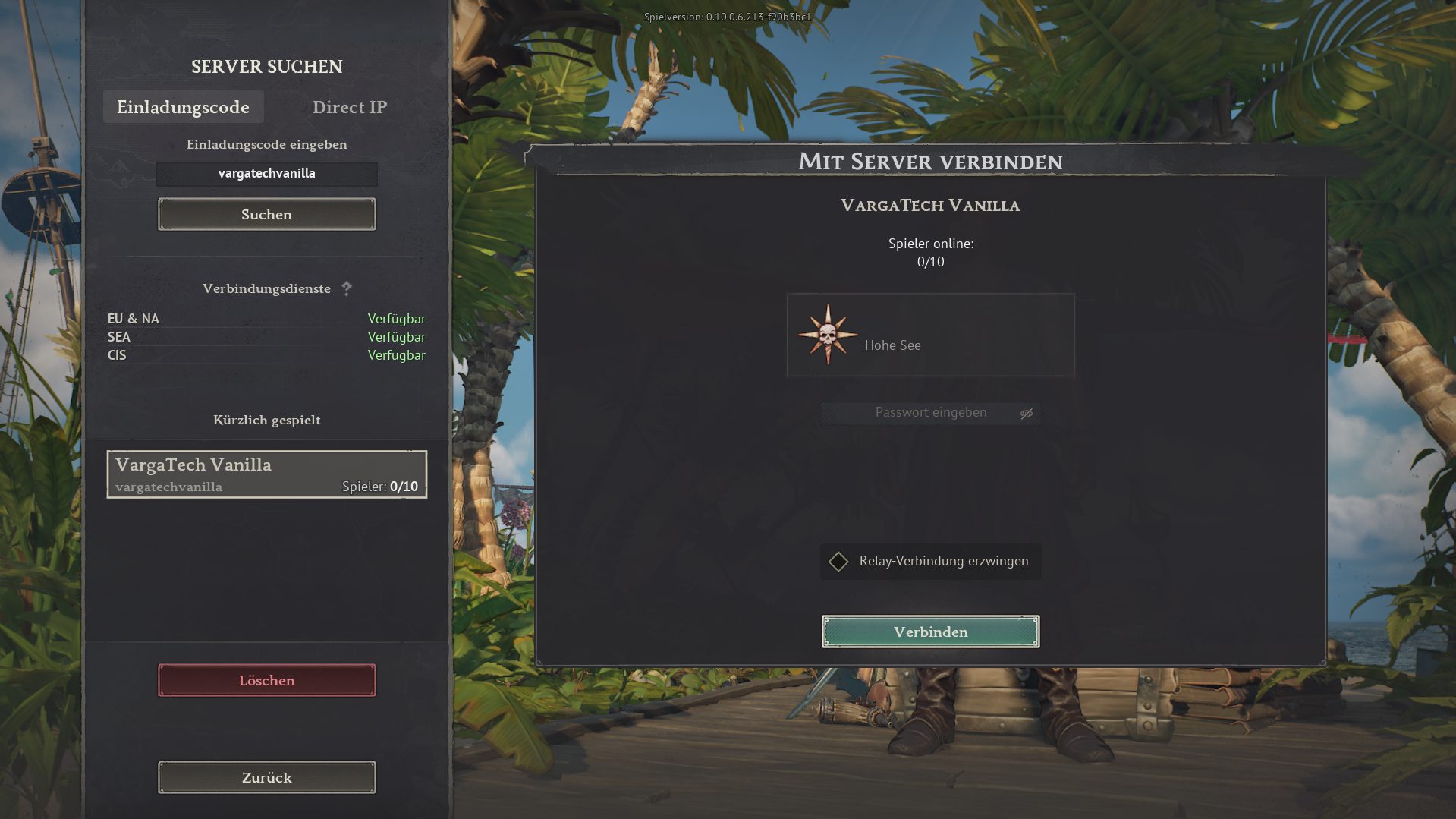
Select VargaTech Vanilla. The connection view appears. Click Connect.
Players can post a short public question, look for group members or offer help. Posts should stay friendly, short and game-related.
The vanilla server does not require Varga-Tech mod synchronisation. Additional rules, passwords or later changes are announced on Discord or in the current server information.
The MAIN mod server is the modified Varga-Tech server option. Varga-Tech server mods must match exactly. Launcher/Chat, Web Mod-Sync and manual guide are available for that.
Open connection assistant